Give Athena your questions and it runs the whole interview — asking each one, listening, and probing for more where an answer needs it — so no one on your team has to sit on the call. What comes back is a normal Junior call you can read, search, and pull takeaways from.
How it's shared
Depending on how your firm has set up Junior, Athena reaches respondents in one of two ways:
- A public link: the interviewee opens it in their browser, no account needed.
- Inside the meeting: Athena joins the Zoom, Teams, or Google Meet call directly.
Set up and publish an agent
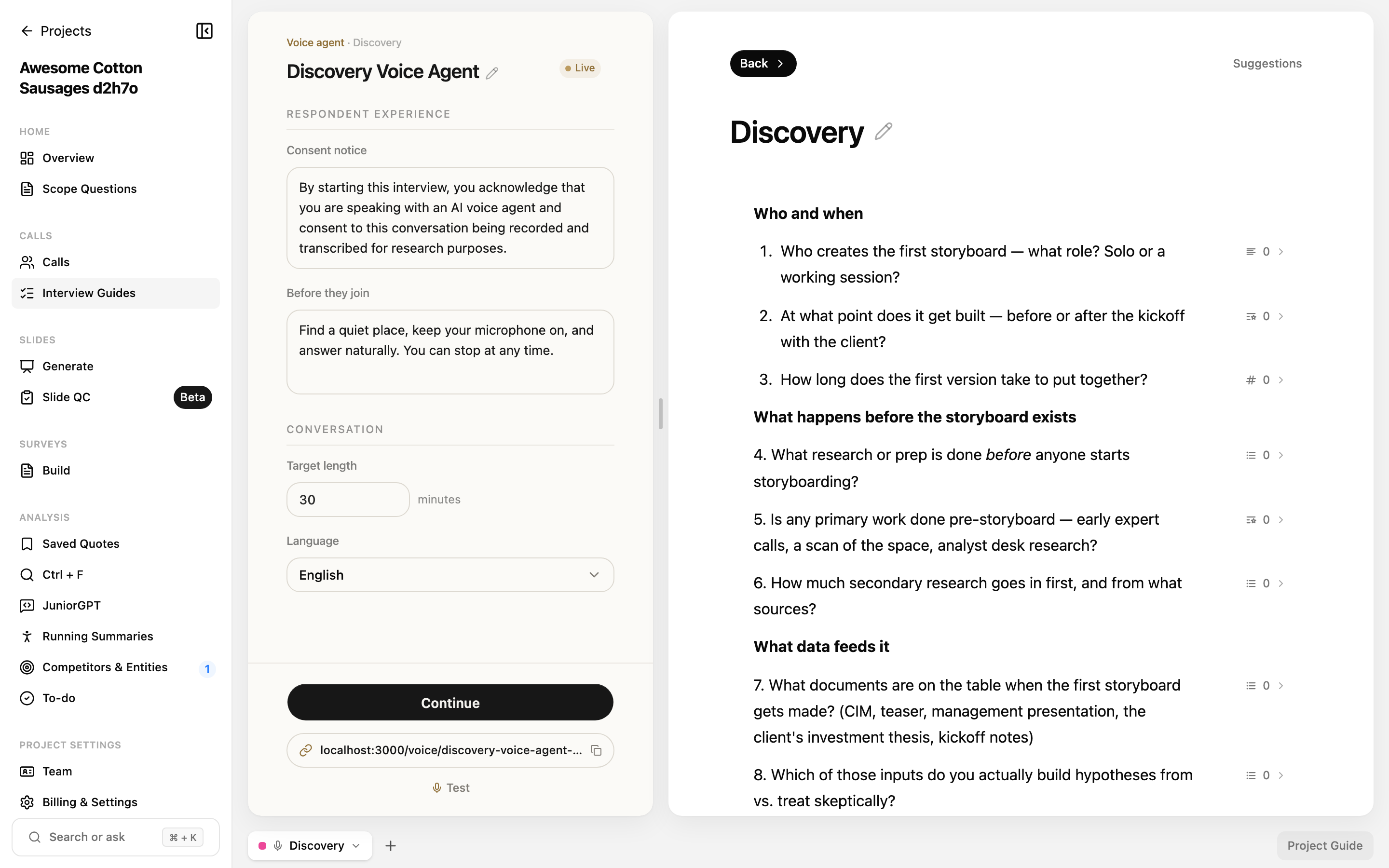
You build the agent in the interview-guide workspace. Give it:
- A title
- A Consent notice: shown to the respondent before they join
- Before they join instructions: what to tell the respondent up front
- A Target length: anywhere from 5 to 120 minutes
- A Language
When it's ready, click Publish agent.
Editing after publishing
If you change the agent after it's live, you'll see a "Draft changes not yet live" note. Your edits won't reach respondents until you click Publish updates.
Sharing and testing
- Copy the public link to send it to your interviewee (public-link setup only).
- Use Test to try a live call with the agent yourself before sharing it.
- Use Continue to view the responses that have come in.
What the respondent experiences
For a public-link agent, the interviewee doesn't need a Junior account. When they open the link they'll:
- Enter their name.
- Read and accept the recording and consent notice.
- Run a microphone and device check, and choose Athena's voice and speaking speed before starting.
- Have a live audio conversation with Athena, following along with live captions. The speaking speed can be changed while the interview is running.
Questions
I edited the agent but respondents still see the old version — why?
Your changes are saved as a draft until you click Publish updates. Publish them and the live agent updates immediately.
My connection dropped. Did I lose the interview?
No. If a respondent gets disconnected, they can rejoin within about 15 minutes and pick the conversation back up.