Every call ends with two things you'd otherwise write up yourself: a narrative recap of what was said, and the list of follow-ups that came out of it.
Call Summary
The Call Summary is a narrative summary of a single call. Every claim is backed by a clickable citation that jumps you to the exact spot in the transcript. Where Key Takeaways list the call's points one by one, the summary tells the story of the call in a few short paragraphs.
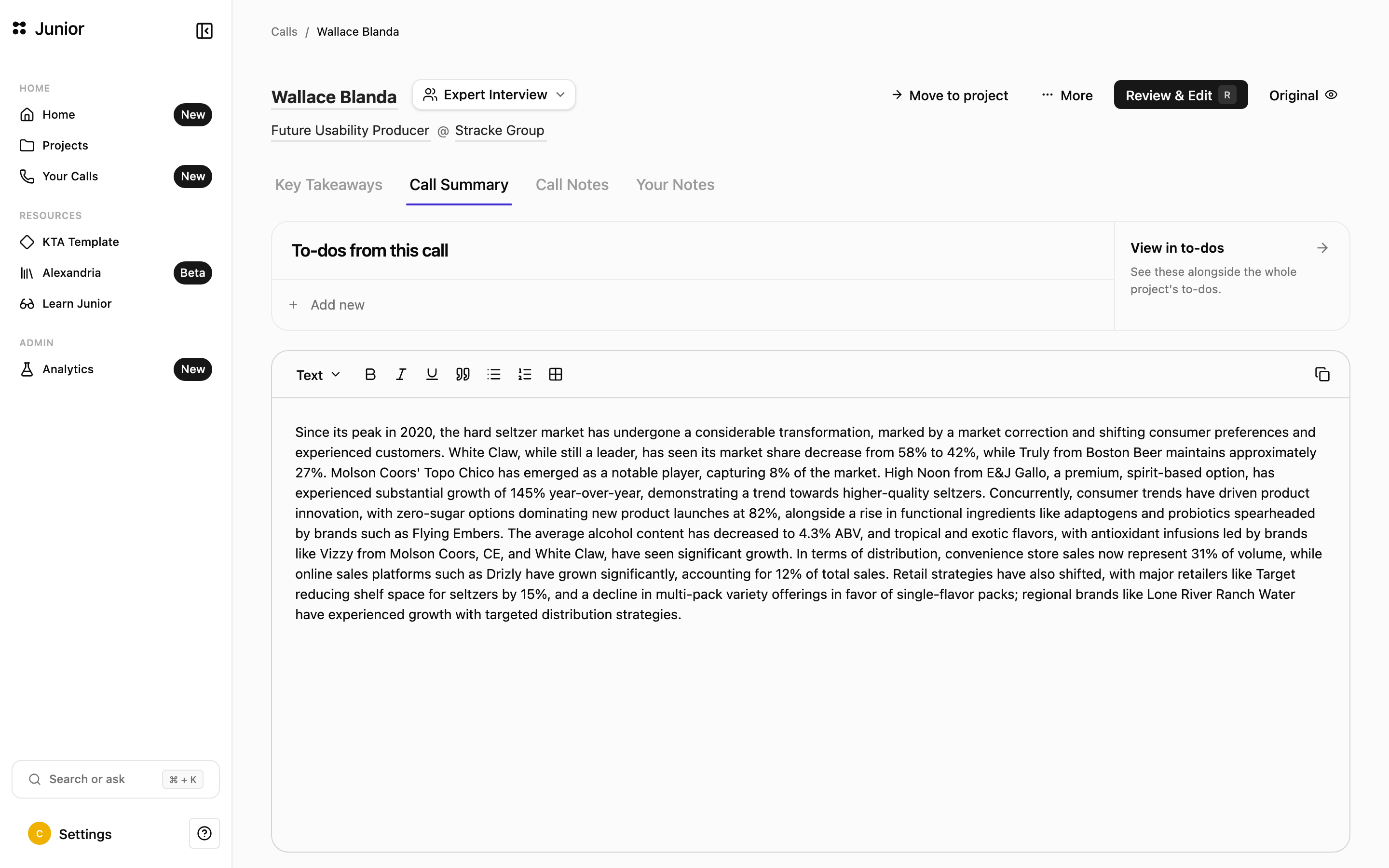
The summary is Junior's synthesis of the conversation, and every claim is traceable. Click any citation to see the source words in the transcript.
To-dos
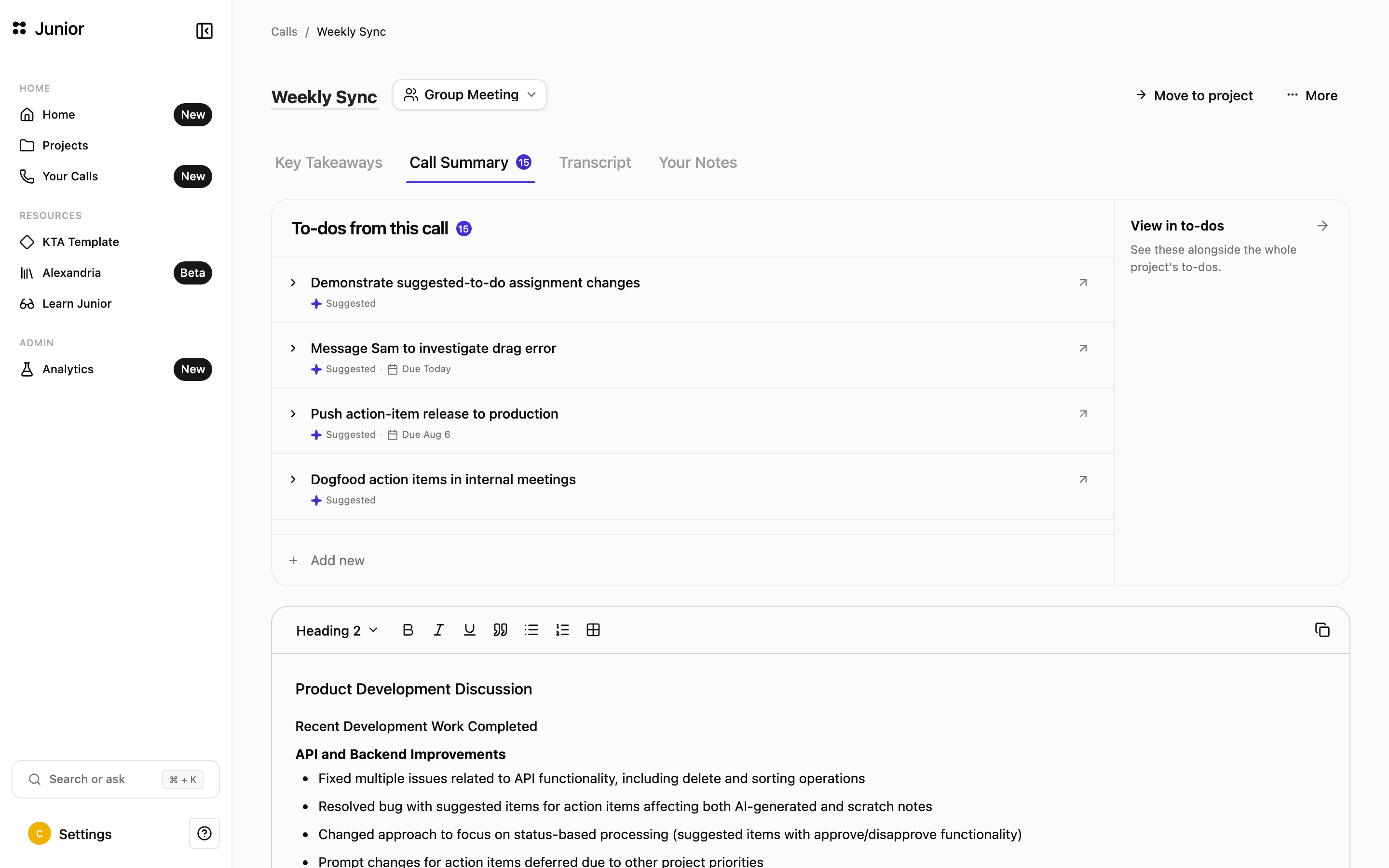
At the top of the Call Summary, Junior suggests to-dos drawn from the call: the follow-ups and next steps that came up during the conversation.
- Approve suggestions first. Suggested to-dos are shown to you before they're added, so nothing lands on your list without your review.
- Add your own. Use Add an action to create a to-do yourself, with an assignee and a due date.
- Jump to the source. Each to-do links back to the quote it came from, so you can see the context.
- See everything in one place. Open any to-do in the central to-dos area to manage the full list.
A badge on the tab counts your open to-dos.
The to-dos page
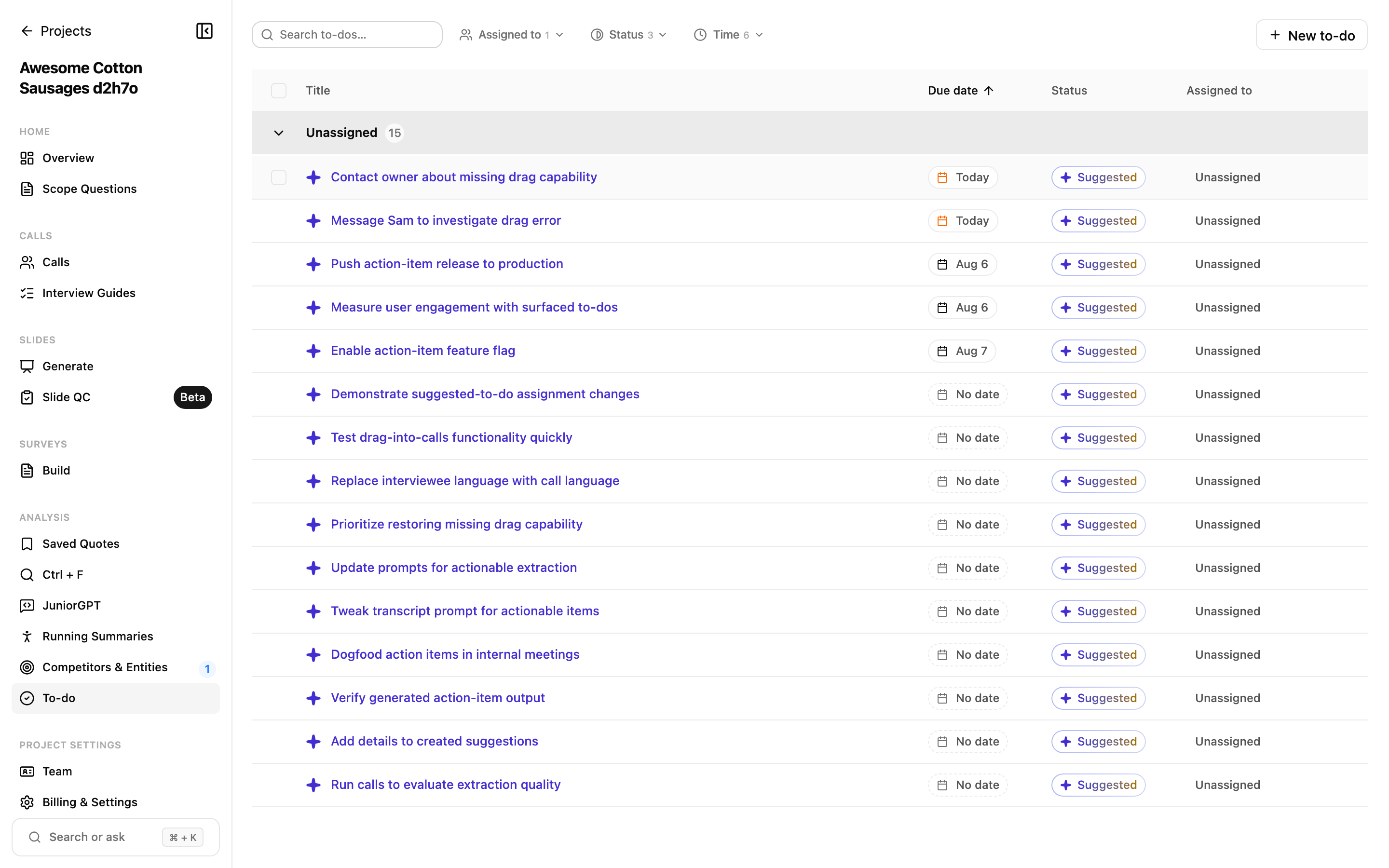
To-dos are a workspace of their own, linked back to the summaries they came from. Every to-do — whether Junior suggested it or you added it — collects in the project's To-do page, where you work the whole list at once. Open it from To-do in the project sidebar.
- Filter and group: narrow the list by Status, Assigned to, or Time, and group it the same way.
- Assign and schedule: give any to-do an assignee, a due date, and a status to track it from suggested to done.
- Approve or dismiss suggestions: to-dos Junior drafted stay marked Suggested until you approve them here or on the call.
- Add your own: create a to-do with New to-do, independent of any call.
Each to-do keeps its link back to the call and the quote it came from.
Running Summary
Running Summary is in beta. Behavior and availability may change.
The Running Summary works at the project level: a single narrative that synthesizes across every call in the project and updates as new ones land, with citations back to the source interviews.
It updates automatically as new calls are processed, and it's empty until your first call finishes.