Junior turns a recorded conversation — an expert interview or a team meeting — into a clean transcript, structured takeaways, and analysis you can run across a whole project. Most of it happens on its own once a call finishes; the rest is a quick human review.
The big picture
Every call follows the same path:
- Capture: get a call in. Send the recording bot to a Zoom, Teams, or Meet meeting; record in your browser; upload an audio file or transcript; or jot notes in the in-call ScribblePad. Calls can also arrive on their own — from the Junior desktop and mobile apps, or pulled from an expert network.
- Transcribe: Junior produces an accurate, speaker-labeled transcript.
- Clean: the raw transcript is tidied into cleaned question-and-answer blocks (for interviews) or meeting notes (for meetings), with filler and false starts removed.
- Extract: from the cleaned call, Junior draws out several distinct things:
- Key Takeaways: a curated summary of the call's most important points.
- the cleaned Q&A blocks: the raw call notes itself, as question-and-answer pairs.
- a narrative Call Summary with citations back to the transcript, and any to-dos that came up.
- the companies and products mentioned (entities), flagged where they're competitors.
- answers to the questions you're tracking, laid out in the Insights Grid.
- Synthesize: search the whole project at once with Ctrl + F, ask JuniorGPT, and compare companies in the Competitive Set.
Review turns drafts into final
Everything Junior extracts starts as an AI draft. Key Takeaways in particular carry an approval status: they stay pending — AI-generated, not yet checked by a person — until someone approves them, at which point they become the call's confirmed takeaways. Until then, treat them as a draft.
Key Takeaways and the Q&A are two different things. Key Takeaways are a short, curated summary of what mattered on a call. The Q&A blocks are the cleaned transcript itself, in question-and-answer form. They live on separate pages: Key Takeaways and the call page.
Review is where that happens: you approve the takeaways, fix anything misheard, correct speaker labels, and mark the quotes that matter. It improves accuracy and, for takeaways, it's what turns a draft into the final, human-confirmed version. See cleaning & the review flow.
How your workspace is organized
Junior has a few levels. Most of your work lives inside a project — but a call doesn't have to belong to one straight away.
| Level | What it is |
|---|---|
| Organization | Your firm's workspace. Holds all users, projects, and shared settings. |
| Project | A single research initiative or deal. Holds its calls, guides, tracked questions, summaries, and analysis. |
| Call | One interview or meeting: its transcript, takeaways, Q&A, quotes, entities, and audio. |
| Your Calls (unfiled) | A call that belongs to you but isn't filed to a project yet. It shows a Needs project status until you assign it, and sits under Your Calls. |
Sourcing, scheduling, and tracking calls
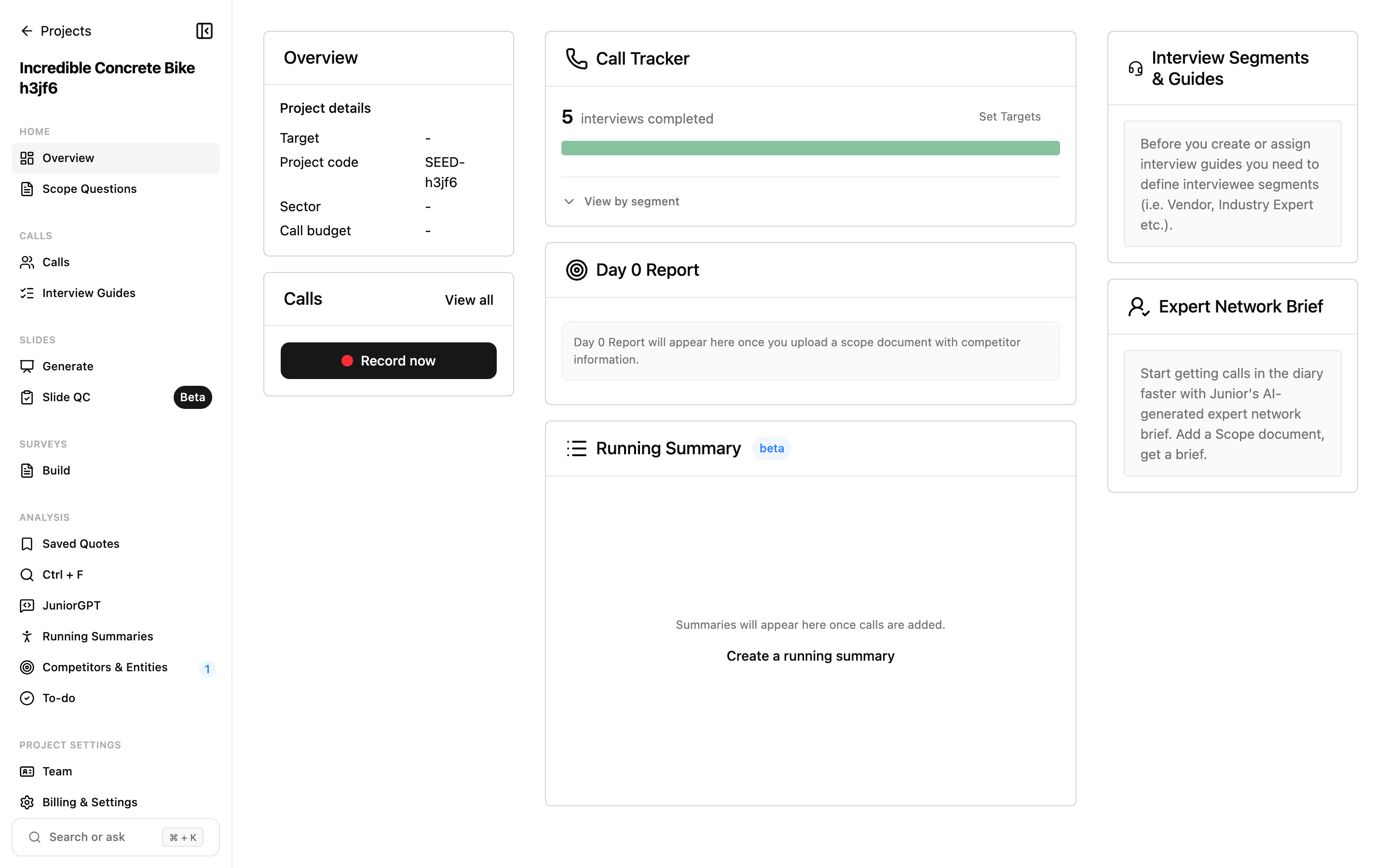
A project's calls are managed in the Call Tracker — a table with a row per interviewee. Alongside each call it tracks the segment, a status through the sourcing pipeline (scheduled → reached out → done, with rescheduled, canceled, or not interested along the way), and, for expert-network work, the cost and duration of each call. A project can carry a call budget, so you can watch spend against it — which matters when experts are billed by the hour.
Junior also prepares two things up front from your scope document:
- a Day 0 Report: an early read of the market and its competitors, before your first call.
- an Expert Network Brief: a brief you can hand to a network to source the right experts.
The typical workflow
A research workstream in Junior usually looks like this:
- Create a project and add a scope document describing what you're researching.
- Junior suggests interview segments — labels that group a project's calls by interviewee type, such as Industry Expert or Customer — and drafts an interview guide of questions from your scope.
- Source and schedule experts in the Call Tracker, then run the calls: send the bot, record in the browser, upload transcripts, or let the AI Voice Agent conduct them.
- Each call is transcribed, cleaned, and turned into takeaways, a summary, entities, and tracked answers automatically.
- Review each call: approve its Key Takeaways, correct anything misheard, and highlight the quotes that matter.
- Analyze across calls: search everything at once with Ctrl + F, ask JuniorGPT, build an Insights Grid, or benchmark companies in the Competitive Set.
- Export or share the output as a document, slide deck, or spreadsheet.
Questions
What's the difference between Key Takeaways and the Q&A?
Key Takeaways are a short, curated summary of a call's most important points. The Q&A is the cleaned transcript itself, laid out as question-and-answer blocks. Takeaways tell you what mattered; the Q&A is the full record you cite from. They're extracted separately and live on different pages.