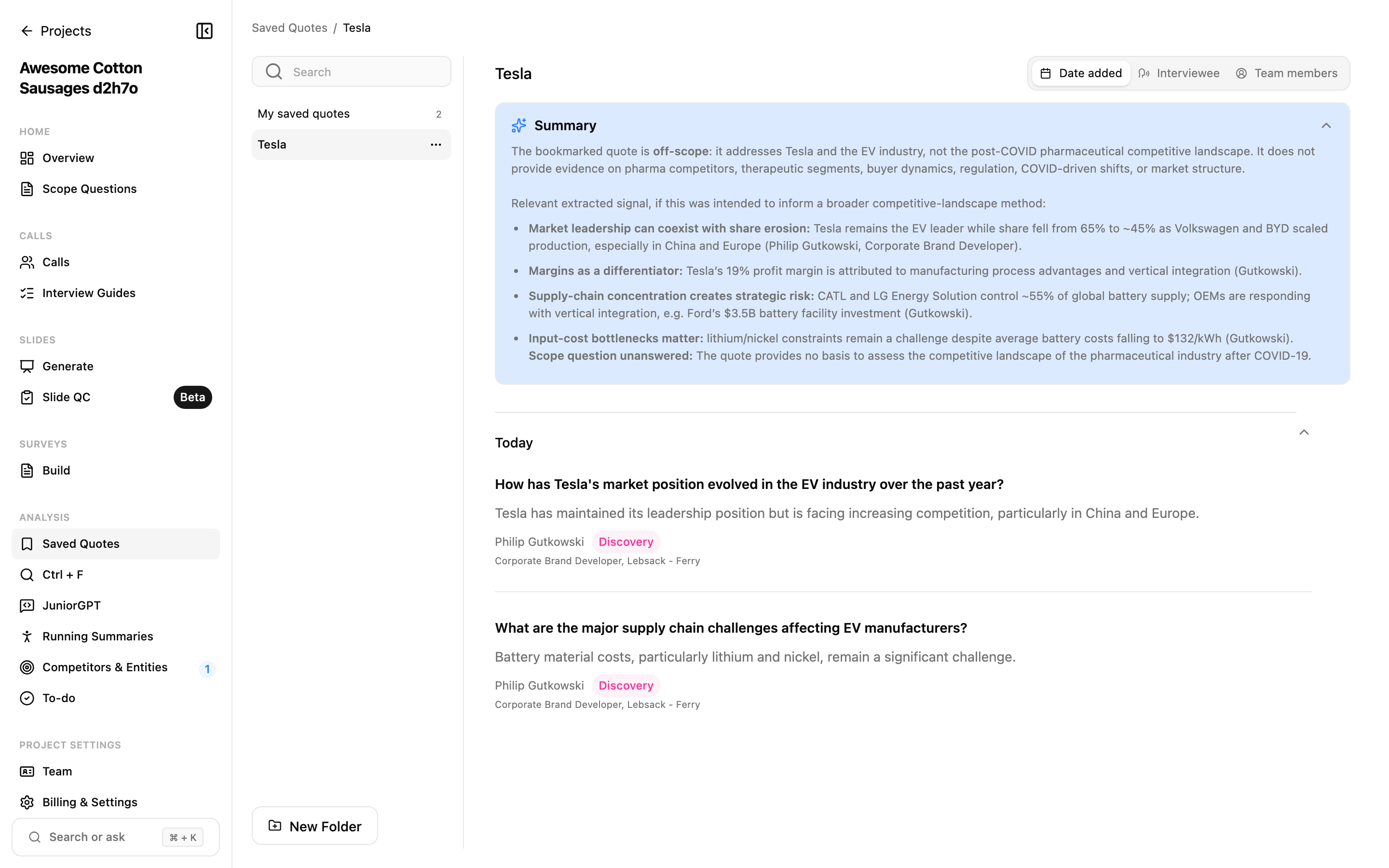
A playlist is where a quote goes once you've decided it earns a place in the deliverable. Save the strong lines as you read, and by the end the evidence is already gathered — not scattered across forty transcripts to dig out later.
What you can do with playlists
- Gather quotes from anywhere. Pull quotes from any call in the project into one place.
- Organize into folders. Group related playlists.
- Tag and track against your hypotheses. Label quotes and follow how the evidence for a research hypothesis builds across interviews.
- Build slides. Turn a collected set of quotes directly into presentation slides.
- See a theme at a glance. View a curated set of quotes spanning many interviews as a single themed list.
Saving a quote to a playlist
You can add a quote to a playlist from a few different places, whichever suits how you're working:
- From a transcript: use the bookmark action on the block you want to keep.
- During review: save a quote as you read and correct a call.
- From a JuniorGPT answer: choose Add to Quotes on a result to capture the line JuniorGPT surfaced.
Once saved, quotes appear in the playlist you chose, alongside their source call so you always know where each one came from.
Questions
What's the difference between a playlist and a Key Takeaway?
A playlist is your own curated collection of quotes, built for synthesis and for shaping into a deliverable. A Key Takeaway is different: the star action promotes a block into a specific call's Key Takeaways, the headline points for that one interview. Playlists span many calls and are yours to organize; Key Takeaways belong to a single call.