Every call in Junior has a type, and that type decides how the conversation is processed. Setting it correctly means your transcript and takeaways come out in the right shape.
The two call types
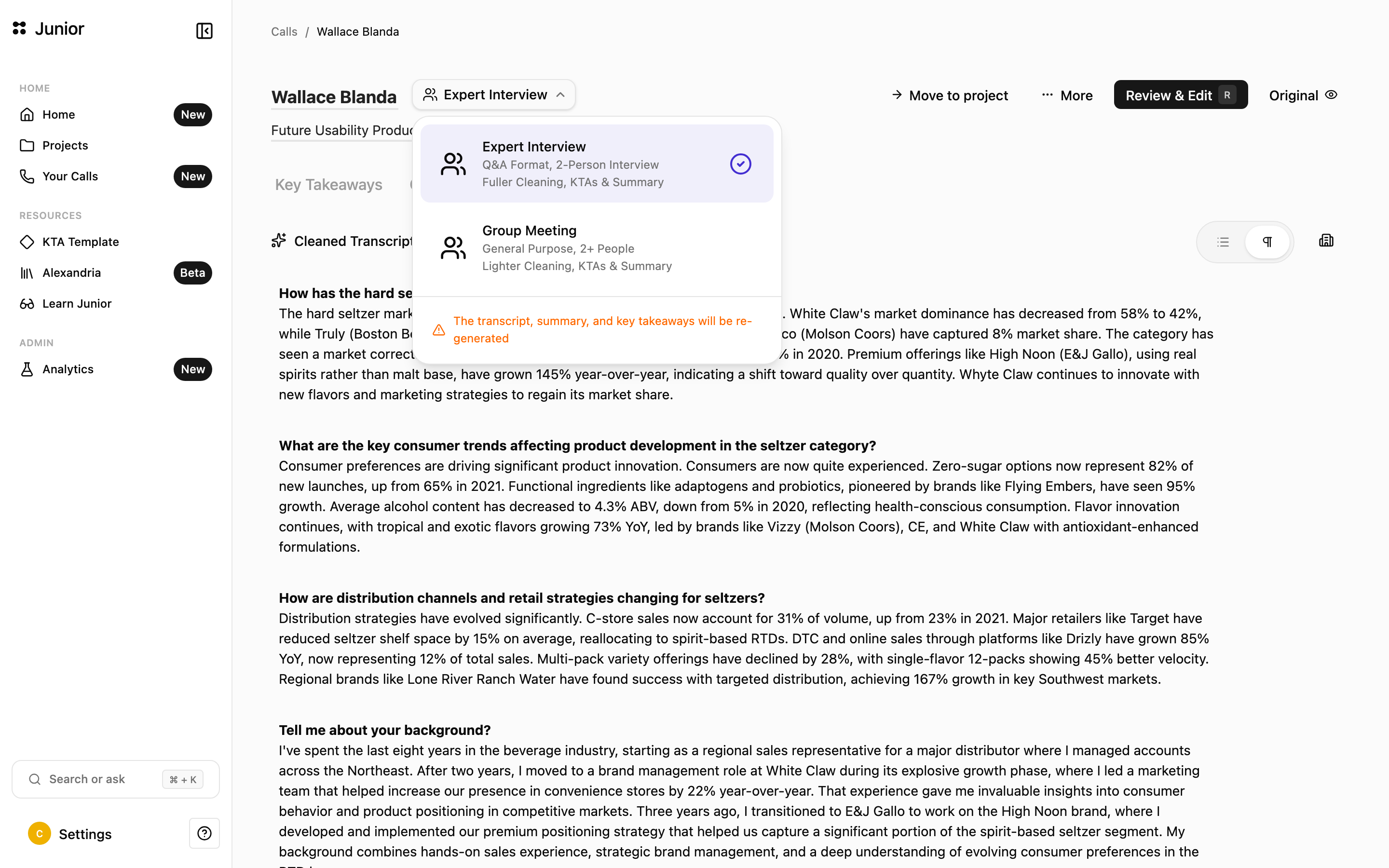
When you first view a call, Junior prompts you to confirm its type. You can also change a call's type from a dropdown on the call, which lets you pick a meeting label that is stored on the call. There are two types:
- Expert Interview: a one-to-one interview with an expert or management, where one side asks and the other answers. Junior applies a fuller cleaning, a more sophisticated processing pipeline, and reshapes the conversation into clean question-and-answer blocks. It produces Key Takeaways and a call summary.
- Group Meeting: a general-purpose call with two or more people. Junior applies lighter cleaning and provides several sub-categories the call can be classified to (if your organization allows it). It also produces Key Takeaways and a summary.
Changing a call's type
If you set the wrong type, you can change it, but Junior reprocesses the call to match. The transcript reverts to its raw form while Junior re-runs it, then returns in the new format.
Questions
Why does my interview read more polished than my meeting?
Expert Interviews get fuller cleaning and are reshaped into tidy question-and-answer blocks, so they read like a clean transcript of a two-way conversation. Group Meetings get lighter cleaning and stay closer to a running set of meeting notes.